
This article was updated on September 30, 2026
There are a lot of moving parts to just about any production, even a simple interview. Clear audio is a fundamental part of professional video production.
Years ago, my friend Kirsten, who works close by, asked me a question that inspired this article:
“We are shooting video testimonials and internal messaging. We’re getting pretty good results with the video, but we are completely lost with how to capture audio. Can you recommend something for our DSLR camera setup?”
At the time, DSLR cameras were everywhere. Today, you might be shooting with a mirrorless camera, cinema camera, smartphone, DSLR, or something that barely resembles a traditional camera at all.
But the problem hasn't really changed. How do you capture good audio?
Audiences can tolerate a mediocre picture. They have a much harder time sitting through bad audio. If they can't clearly understand what someone is saying, it doesn't matter how beautiful the image looks—they are going to tune out.
The good news is that getting better audio doesn't have to be complicated.
Guide to Capturing Audio for Your Next Video
Good Audio Starts Before You Hit Record
People tend to think good audio starts with buying a better microphone.
It doesn't. It starts with the room and the scene you are blocking.
Listen before you start shooting. Is the air conditioner running? Is there a refrigerator humming behind your subject? Traffic outside? A conference room with glass walls that sounds like an empty swimming pool?
You'd be surprised how often moving an interview six feet, closing a door, turning off an air conditioner for ten minutes, or adding a few soft surfaces can improve the recording more than buying another piece of equipment.
Your microphone can only record what you give it.
The Most Important Rule: Get the Microphone Close
If there is one thing to remember from this entire article, it's this:
Get the microphone as close to the person speaking as reasonably possible.
A $1,000 microphone ten feet away can sound worse than a modest microphone positioned properly.
If you're ten feet away, guess what? It's going to sound like you're ten feet away.
That's why professional productions spend so much time thinking about microphone placement and scouting a location before you yell action. Whether you're using a lavalier, boom mic, wireless system, or external recorder, distance matters.
Get up in people's grill. Within reason.
Don't Rely on the Camera's Built-In Microphone
The built-in microphone on most cameras is really there for convenience and reference audio.
Can it capture sound? Of course.
Would it normally be our first choice for an interview, testimonial, commercial, or corporate video? Never, unless you are in a rushed situation or your recording gear has failed.
The microphone is attached to the camera, which means its distance from the person speaking changes every time you move the camera. It also tends to capture every sound happening around it. Most built-in mics are low quality.
Built-in camera audio can still be extremely useful as a reference track, especially if you're recording your primary audio separately and need to sync everything later. The on-camera mic audio is excellent for syncing sound if needed.
It is also perfectly acceptable when you're recording your nephew saying “basgehtti” for the first time.
Not everything needs a boom operator.
Choose the Right Microphone for the Job
There isn't one microphone that works perfectly for every production.
For most interviews, testimonials, corporate videos, and branded content, you're probably going to choose between three basic approaches.
Lavalier Microphones
Wireless lavaliers are one of the easiest ways to get a microphone close to someone.
The microphone stays with your talent, so you can move the camera around without dramatically changing the sound. That makes lavaliers especially useful when someone is walking, presenting, or demonstrating a product, or when you need a wider camera shot.
The downside? You can usually see them unless they're hidden.
There's nothing inherently wrong with seeing a lavalier microphone. Most audiences don't care. But for commercials and higher-end productions, we hide them for a cleaner look.
Just be careful.
Clothing rubbing against a hidden microphone can turn an otherwise great interview into what sounds like someone opening a bag of potato chips during every sentence.
Hair, jewelry, jackets, and wind can all cause problems.
Mic placement matters.
We have traditionally used Tram lavaliers when concealing microphones because of their small size and sound quality. Rycote also makes useful solutions for hiding lavaliers and reducing wind and clothing noise.
Boom and Shotgun Microphones
For interviews, this technique is still one of our favorite ways to capture dialogue.
A shotgun microphone positioned just outside the frame can give you extremely natural sound while keeping the mic completely out of sight. A quality boom setup can also deliver exceptional audio, especially when it’s hardwired directly into the camera or recorder with a balanced XLR cable for a clean, reliable signal.
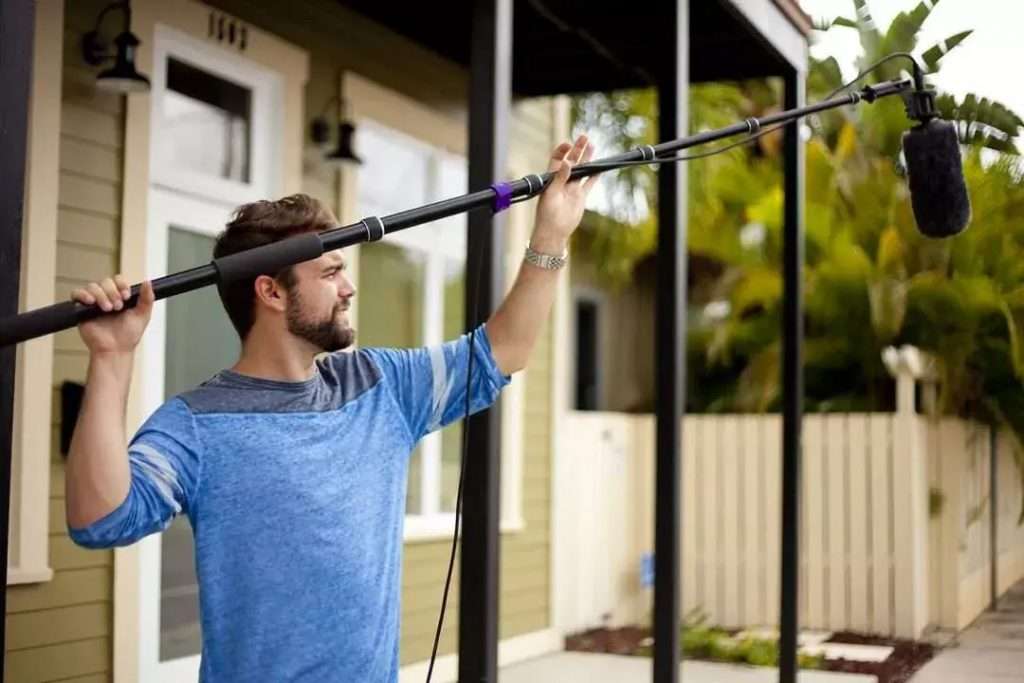
We typically position the mic above the person speaking and angle it toward their mouth. The exact position will vary depending on the room, the framing, and the microphone.
There’s a reason this setup is so common on professional productions. You can get the microphone close to the talent without attaching anything to them or putting the mic in the shot.
For moving scenes, you may have a dedicated boom operator following the action. For a locked-off interview, the mic can often be mounted with a boom holder, grip head, and C-stand.
No tired arms required.
For most of our professional video productions, the boom-and-shotgun setup remains one of our preferred methods when clean, natural dialogue is critical.
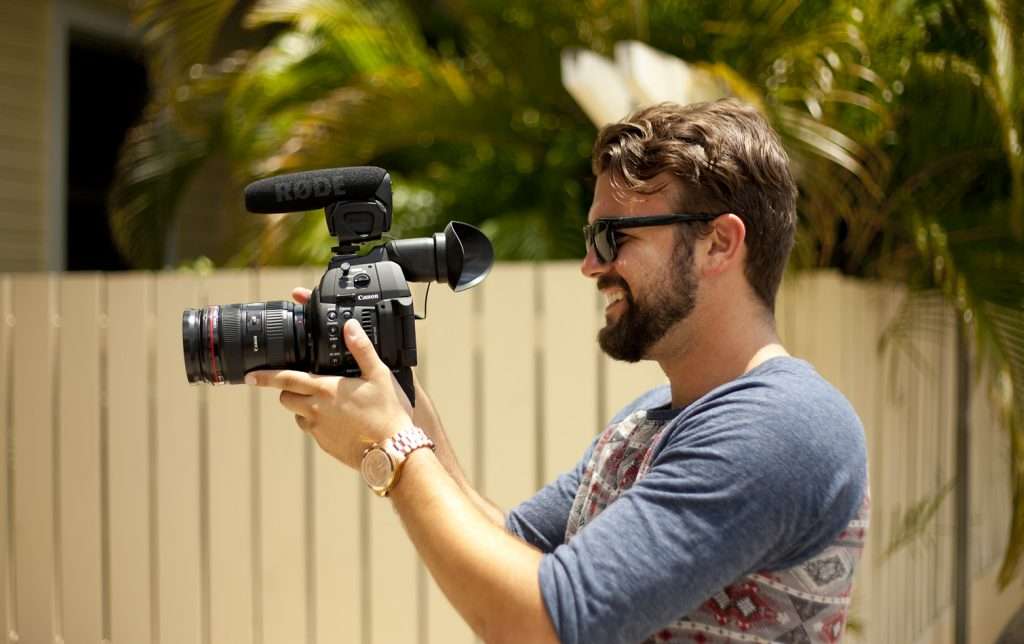
On-Camera Shotgun Solution.
The microphone is still attached to the camera, so the farther you move from your subject, the farther the mic moves too. If the camera is eight feet away, the microphone is eight feet away.
That’s why an on-camera shotgun is best suited for run-and-gun shooting, events, documentary-style work, and situations where speed and mobility matter more than perfect dialogue capture.
It’s a useful tool in the right situation, but when dialogue is critical, we’d rather get the microphone closer to the person speaking.
Don't Forget to Monitor and Meter Your Audio
This advice sounds obvious until you realize how many people don't do it.
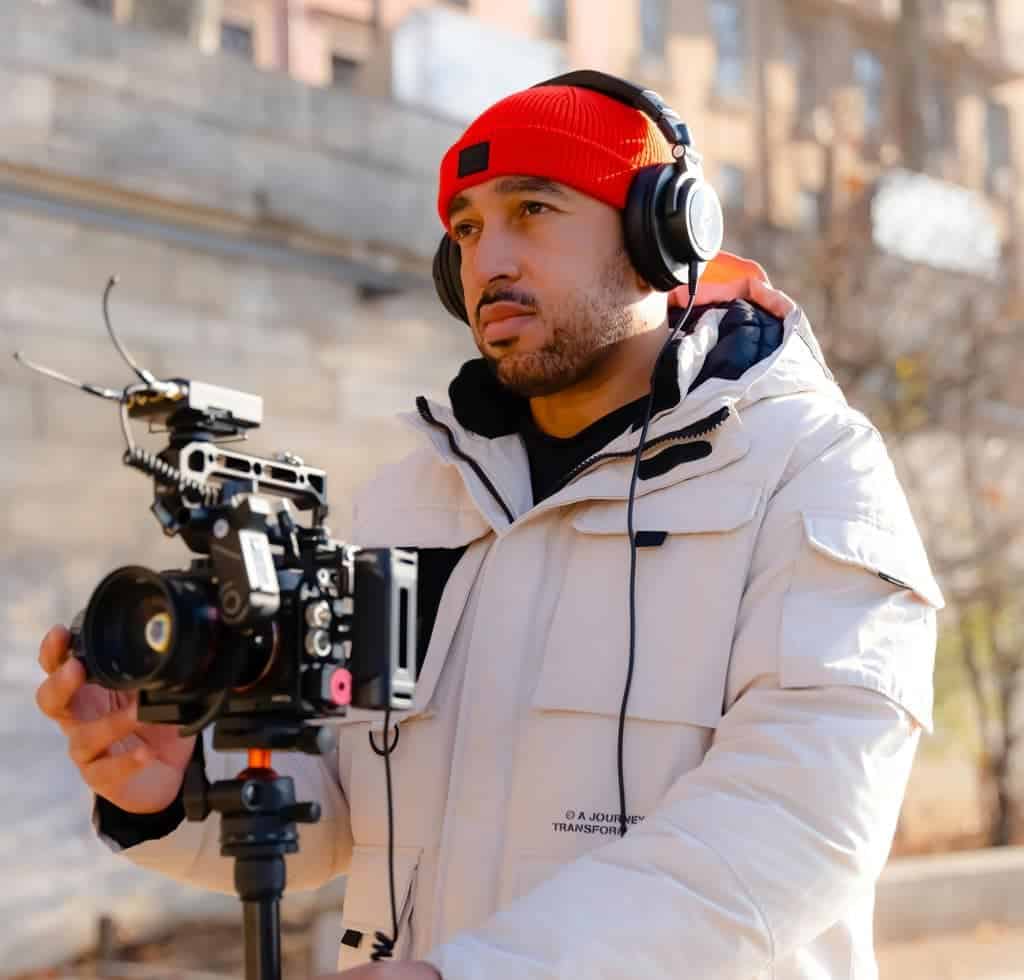
Wear headphones. The Sony MDR-7506 has been a staple in the video industry for years, and we've been using them for the last 20.
Your meters and headphones tell you two different things.
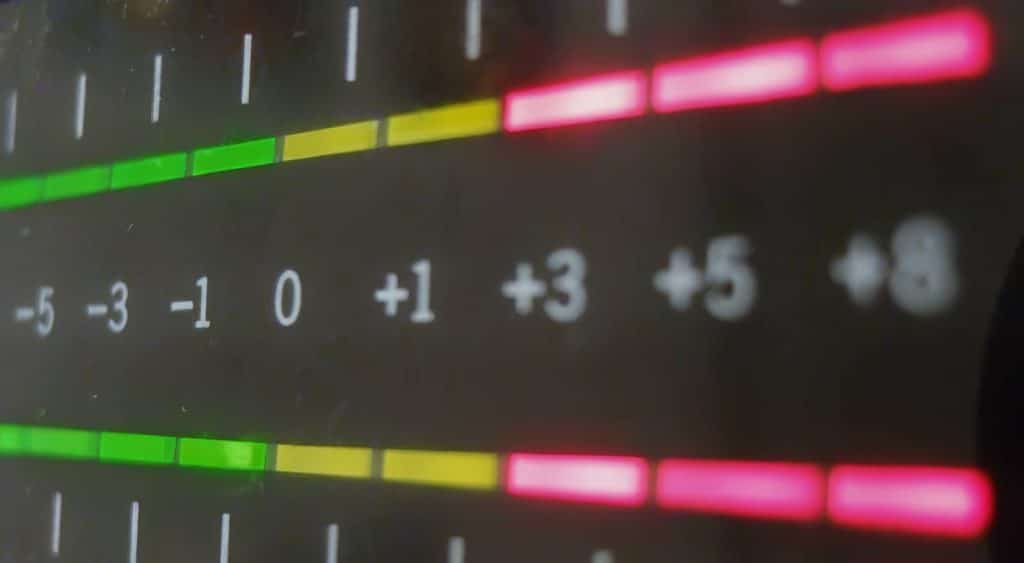
Meters tell you whether your audio is too low, at a healthy level, or getting dangerously close to peaking. But they can't tell you that someone's necklace is tapping against a lavalier, clothing is rubbing against the mic, or the air conditioner sounds like a 747 taking off.
That's what your headphones are for.
Before an interview, have your subject speak at roughly the same volume they'll use during the actual conversation. Watch your meters while listening to the recording.
Ask them a simple question like "What's your home address?" This should give you the amount of time needed to check audio.
Watch Your Recording Levels
If you're recording traditional camera or recorder audio, you want a healthy signal without clipping.
Clipping happens when the signal gets too loud and hits the recorder's limit. Once it's distorted, there may not be much you can do to save it.
Dialogue peaking somewhere around -12 dB to -6 dB is generally a comfortable place to work, although the exact level depends on the equipment and situation.
Whenever possible, use manual control instead of blindly letting the camera decide what's important.
Automatic gain can hear someone stop talking and think:
“Great. Let's turn up the air conditioner.”
Modern audio systems have gotten considerably smarter. Some wireless systems and external recorders now offer automatic gain tools, safety tracks, onboard backup recording, and 32-bit float recording.
The technology has changed. The goal hasn't.
Record a clean signal and make sure you have it before everyone goes home.
Should You Record Audio Into the Camera?
You can, but you don't have to.
There are a few ways to record audio, and none of them have to be complicated.
The simplest option is to plug your microphone or wireless receiver directly into the camera. Your audio and video are recorded together, which makes things much simpler when it's time to edit.
Another option is to record your audio separately with an external recorder. This gives you more control and usually more professional connections and audio options than you'll find on a smaller camera.
Once you're working with more than two audio inputs, an external recorder or mixer becomes especially important. At that point, it's also a good idea to have a dedicated audio engineer monitoring levels, managing the microphones, and making sure everything is being recorded properly.
And here's where things have gotten really convenient. Some wireless microphone systems can record the audio right on the transmitter while also sending it to the camera.
And don't let recording audio separately scare you. Most modern editing software can sync the external recording with the scratch audio from your camera automatically.
So whether you record into the camera, use an external recorder, or do both, the goal is the same: Get clean audio and give yourself a backup whenever you can.
What About 32-bit Float Audio?
This is another major development since the original article was written. Some modern field recorders and wireless systems offer 32-bit float recording.
Without turning this into an audio engineering class, 32-bit float provides an enormous amount of dynamic range. That gives you much more flexibility when a recording suddenly gets extremely loud or very quiet.
It can be a lifesaver, but it's not magic.
It doesn't fix a microphone that's fifteen feet away. It doesn't remove clothing rubbing against a lav. It doesn't make a terrible-sounding room sound wonderful.
Good microphone placement still wins.
Technology just gives us a bigger safety net.
Capturing Audio With a DSLR or Mirrorless Camera
Smaller cameras often use a 3.5 mm microphone input, while professional microphones commonly use XLR connections.
That’s where a recorder like the Zoom F3 becomes really useful.
You can plug your professional XLR microphone directly into the F3, record high-quality 32-bit float audio there, and then send that audio out to your camera through its 3.5 mm input.
That gives you the best of both worlds: professional XLR connections for your microphones and an easy way to feed audio into a DSLR or mirrorless camera that only has a smaller 3.5 mm input.
It also gives you a separate high-quality recording on the F3, which means you have a backup if something goes wrong with the camera audio.

Final Word on Audio for Video
There are audio packages that cost next to nothing, and there are others that could require a second mortgage. The encouraging news is that most people producing interviews, testimonials, internal communications, or branded content don't need the latter.
Companies such as Audio-Technica, RØDE, Sennheiser, Zoom, and others make excellent equipment at a wide range of price points. The bigger question isn't necessarily, “What's the best microphone?” It's “What's the best microphone for what I'm trying to record?”
A solo creator shooting social content has different needs from a two-camera corporate interview. A documentary crew has different needs from someone recording a customer testimonial in their office. Buy for the production you're actually doing. You're probably not making a Hollywood movie.
And remember, good audio isn't about having the most expensive equipment in the room. It's about controlling the environment, choosing the right microphone, getting it close to your subject, and actually listening to what you're recording.
Cameras and recording technology will continue to change, but the fundamentals aren't going anywhere. If your viewers can't clearly hear what someone is saying, it won't matter how beautiful the images are—they will tune out.
So don't treat audio like something you'll figure out five minutes before the interview starts. Get the microphone close, put on your headphones, check your levels, and ensure you have clean audio before everyone goes home.
High-quality audio is part of what allows strong visuals to actually tell the story.
If you're planning a larger production and want some help sorting through the details, set up an informative consultation and let's see where it can go.
Frequently Asked Questions
What is the best way to capture good audio for video?
Start by getting the microphone as close to the person speaking as possible. Good mic placement, a quiet environment, and monitoring with headphones will usually make a bigger difference than simply buying more expensive equipment.
What kind of microphone should I use for video?
It depends on what you're shooting. A lavalier works well when someone is moving or when you need the microphone to stay close to them. A shotgun mic on a boom is one of our favorite choices for interviews because it can capture natural dialogue while staying out of the shot. An on-camera shotgun is useful for run-and-gun shooting when speed and mobility matter.
Should I record audio directly into my camera or use an external recorder?
Either can work. Recording directly into the camera keeps things simple, while an external recorder gives you more control, professional connections, and the ability to handle multiple microphones. Some wireless systems can also record internally while sending audio to the camera, giving you a valuable backup.
Are lavalier or shotgun microphones better for interviews?
Both can sound excellent. Lavalier microphones are easy to keep close to the speaker and work especially well when someone is moving. A boom-mounted shotgun microphone can provide very natural dialogue without attaching anything to the person on camera.
Do I still need to monitor audio when recording 32-bit float?
Absolutely. 32-bit float gives you much more flexibility with changing volume levels, but it can't fix clothing rubbing against a lavalier, background noise, wind, or a microphone that's too far away. You still need to listen to what you're recording.
Can I get good audio with a DSLR or mirrorless camera?
Yes. Use an external microphone instead of relying on the camera's built-in mic, keep the microphone close to your subject, monitor with headphones, and check your levels before you start. An external recorder can also give you professional XLR connections and more control.
What equipment do I need to record good audio for video?
For a basic setup, you'll usually need a microphone, headphones, the proper cables or wireless system, and wind protection if you're shooting outdoors. An external recorder can be useful when you need professional XLR connections, multiple microphones, or more control over your recording.