This article was updated on September 16, 2026.
If you’re searching for the best AI video generator, you’re not alone—and you’re not wrong to feel overwhelmed. Every few months brings a new model, a new “Gen,” or another update promising better video quality, more realistic camera movement, and fewer weird hands.
Meanwhile, marketers and creative teams still have the same job: create video content that looks good, gets attention, stays on-brand, and gets out the door on time.
Choosing the right AI workflow can also make video advertising faster to produce and easier to scale.
The good news is you don’t need to memorize every AI model. You need to match the project to the right workflow. A tool that works beautifully for a cinematic product shot may not be the right choice for stylized animation, a talking presenter, or branded social content—each platform has a specialized role.
AI is also becoming a much bigger part of advertising and production. IAB projects U.S. digital video advertising spending to surpass $80 billion in 2026, as AI moves from experimentation into everyday creative workflows.
So instead of chasing whichever model has the best demo this week, focus on what you’re actually trying to make.
You’re not really choosing AI. You’re choosing a workflow.
Choosing the Righ AI Video Workflow
What Is an AI Video Generator?
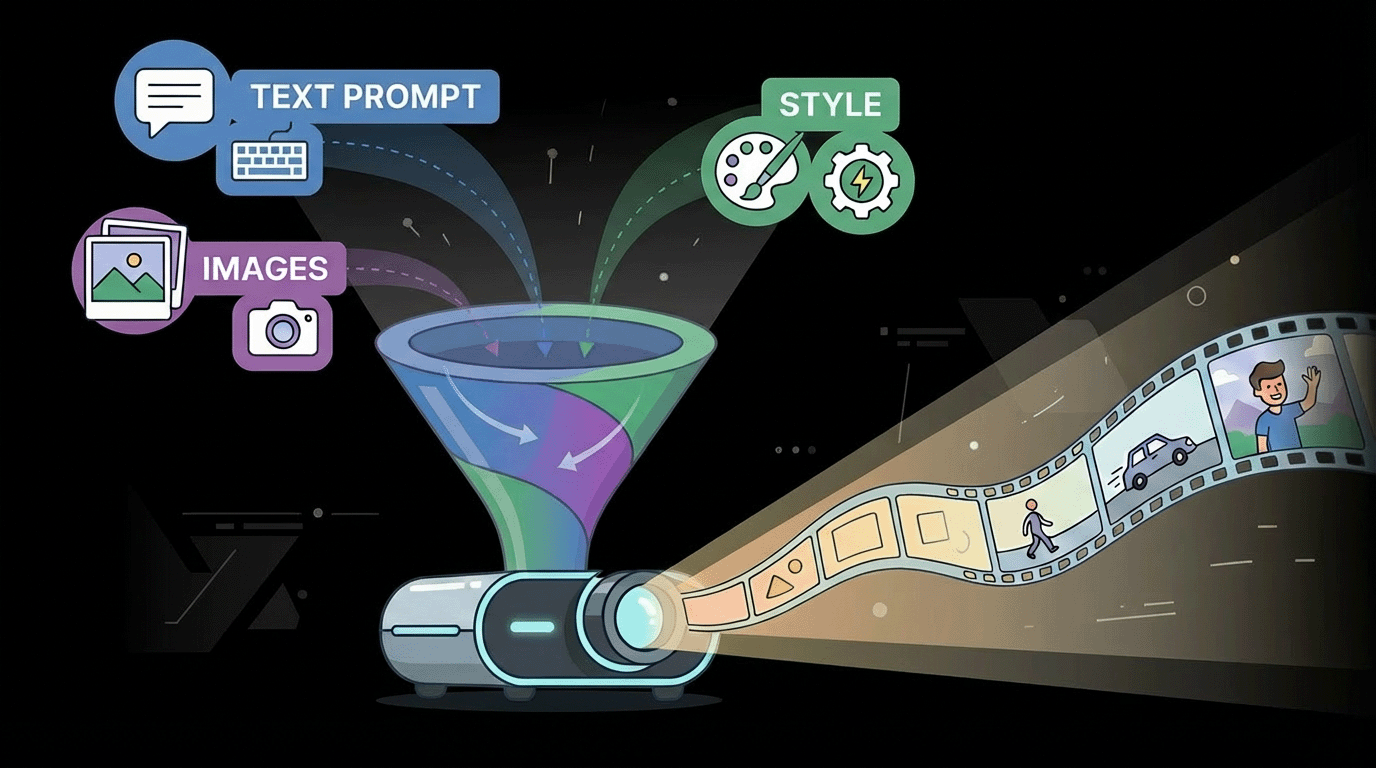
An AI video generator is software that uses artificial intelligence models to generate moving images from text, images, reference footage, or combinations of all three.
Some tools lean toward text-to-video, where you describe what you want to see, while others are stronger at image-to-video, where you start with an existing visual and bring it to life.
Increasingly, those lines are blurring. You can combine prompts, reference images, camera movement, lighting, framing, audio, and other creative direction to shape the result.
In other words, you’re still making many of the same decisions you would on a traditional production. The technology may be new, but the creative decisions aren’t.
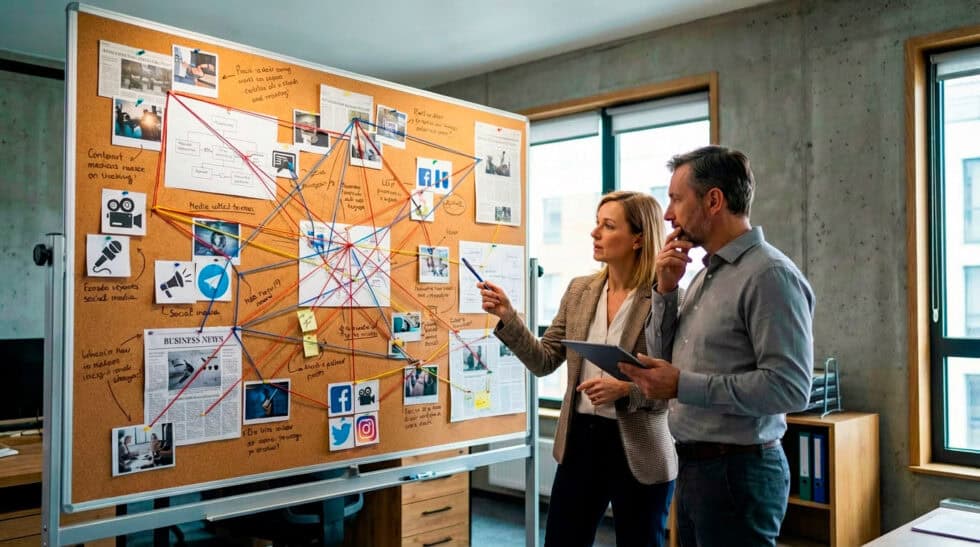
Why Choosing the Right AI Video Generator Matters
The right tool can save hours, make experimentation easier, and help you produce multiple variations without rebuilding everything from scratch.
The wrong one can turn a simple idea into a day of broken continuity, strange physics, disappearing objects, and visuals that are always almost right.
Here’s the truth from a producer’s perspective:
You’re not purchasing AI. You’re buying a workflow.
For marketing, workflow beats novelty. Think about the final output first.
- Are you making one flagship brand video?
- A cinematic product shot?
- Ten social media variations?
- A series of presenter-led videos?
- A quick visual concept to show a client before production?
Those are very different assignments.
If you need volume, generation speed and consistency may matter more than squeezing every ounce of cinematic quality from one clip. If you need a hero shot, you may spend considerably more time refining prompts, reference images, camera language, and individual takes.
And don’t confuse AI-generated video with a finished commercial.
AI may generate the asset but the finished work still comes from selecting the right shot, establishing pacing, maintaining continuity, creating sound, adding typography, editing, compositing, color grading, and knowing what to leave out.
It’s a tool, not a magic wand waiting to do your bidding. Human ingenuity still matters.
Key AI Video Terms—Without Going Too Far Into the Weeds
Before we get into the models, here are a few useful terms:
- TTV (Text-to-Video): Creating footage from a written prompt.
- Image-to-Video: Animating a still image or reference frame.
- Reference-Based Generation: Using images, video, characters, products, environments, or other assets to guide the output.
- UGC Style: Advertising designed to resemble organic creator or user-generated content.
- Previsualization (Previz): Rough visuals used to explore shots, pacing, camera movement, or concepts before full production.
- Look Development: Exploring visual styles until the creative direction feels right.
- Plate Generation: Creating footage or backgrounds that will later be composited with other elements.
- Aspect Ratio: The shape of the video, such as 16:9 widescreen, 9:16 vertical, or 1:1 square.
- Video Generation Model: The underlying AI system creating or modifying the footage.
Now we can talk like humans again.
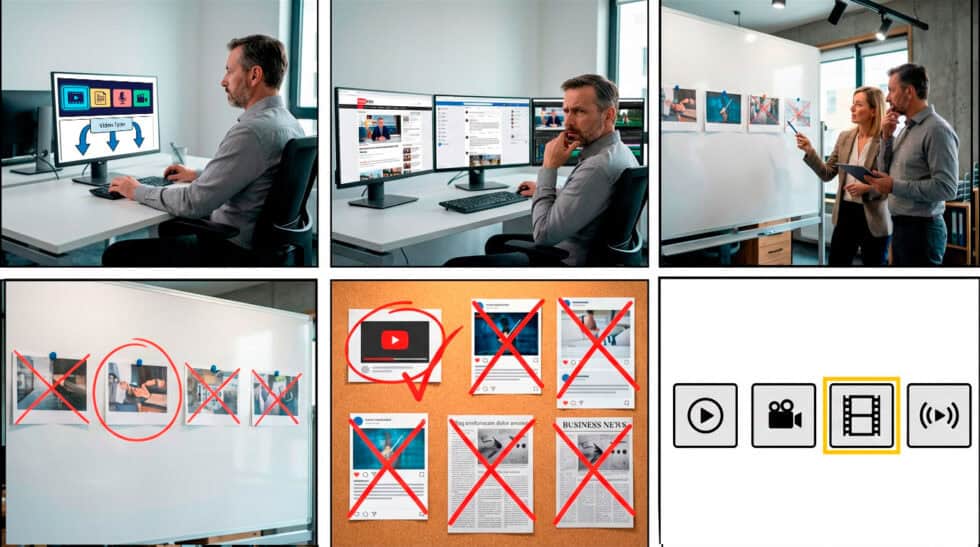
Step 1: Pick Your Video Type First—Not the Tool
Different types of video communicate differently. Choose the type first. Then choose the technology that supports it.
Doing it backward is like choosing the advertising format before knowing what you’re trying to accomplish. The creative might look slick, but that doesn't necessarily mean it will work.
A successful video campaign should amplify the brand message and make someone more comfortable with whatever you're asking them to consider.
If you need some creative direction first, we’ve put together additional ideas for styling your next marketing video.
Cinematic / Live-Action Style
If your goal is “this should look like we actually shot it,” concentrate on realism, believable motion, camera language, lighting, physics, and continuity.
Current strong fits include:
Google Veo 3.1
Seedance 2.5
Runway Gen-4.5
Veo 3.1 continues to emphasize reference-based control and more consistent video generation, while Runway Gen-4.5 is designed around improved motion quality, visual fidelity, and adherence to more complex directions. Seedance 2.5 has pushed further into longer-form generation, audio-video generation, references, and clips of up to 30 seconds.
For marketing, repeatability matters almost as much as the prettiest individual shot. A gorgeous clip is great if you can use it, but continuity is the name of the game.
2D Animation / Stylized Illustration-to-Motion
Stylized work lives and dies by staying on-model.
You want clean shapes, predictable motion, character consistency, and the ability to start with a strong style frame rather than letting the model reinvent the visual language every time.
Strong fits include:
Pika 2.5
Runway Gen-4.5
Pika remains particularly useful for shorter-form visual experimentation, stylized motion, social content, and image-to-video applications. Its current 2.5 model supports both text-to-video and image-to-video workflows.
For this type of project, we often prefer creating the still image first and then animating it. Control the look before you control the movement.
Motion Graphics / Brand Graphics / Text-Heavy Content
If typography, layout, logos, and animated design elements are the point, traditional motion-design tools still have an enormous advantage—this is the world of Adobe After Effects. This allows motion designers to create on-point branded explainer videos, motion graphics, and complex 2D designs.
AI can be fantastic for generating ingredients—backgrounds, transitions, visual concepts, plates, textures, and individual shots—but I would not hand over art direction entirely to a generative video model when typography and brand precision matter.
A particularly interesting development is Adobe Firefly.
Firefly has evolved beyond Adobe's own generative models into a multi-model creative environment. Depending on availability, creators can access partner video models, including Veo 3.1, Runway Gen-4.5, Kling 3.0, and Luma models, without constantly jumping between separate platforms.
That is precisely what we mean by choosing a workflow instead of a model.
Generate the ingredients. Then art-direct the finished piece.
3D Animation / VFX-Adjacent Work
AI video is increasingly useful for previz, look development, environmental concepts, product worlds, plate generation, and certain VFX workflows.
For more production-oriented work, take a look at:
Luma Ray3.2
Runway Gen-4.5
Google Veo 3.1
Luma's Ray3.2 is particularly interesting from a production perspective because it adds multi-keyframe control, video modification, reframing, HDR output, and other features intended to connect generated footage with professional post-production pipelines.
Step 2: Decide What Matters Most
Once you know the kind of video you’re making, think about what matters most for that project. Is it consistency from shot to shot? Built-in audio? Speed? Brand control? Or simply having a workflow that your team can actually use without jumping through hoops?
That’s why there really isn’t one “best” AI video generator. A model might produce gorgeous footage but still be a poor fit if it struggles to keep your product consistent, takes forever to generate, or doesn’t play well with the rest of your production workflow.
The best-looking model isn’t always the best production tool.
Text-to-Video vs. Image-to-Video
This is one of the most important distinctions to understand.
Text-to-video for exploration. Image-to-video for control.
Text-to-video is fantastic for finding ideas.
You describe a scene, specify the framing and movement, choose an aspect ratio, and begin generating.
This works well for:
- Concept development
- Mood exploration
- Rough story ideas
- Previsualization
- Unexpected creative directions
- Fast visual experimentation
Think of text-to-video as the sketchbook. You're looking for something interesting.
You're not necessarily locking the campaign yet.
Image-to-Video: Best for Control
Image-to-video starts with something tangible—a photograph, product shot, illustration, or style frame—and tells the model:
Start here. Now make this move.
That gives you more control over composition, styling, products, characters, and environments.
One rule still applies: the quality you put in really matters. A tiny, compressed image pulled from a web page is not a great starting point—hard stop.
For branded and product work, image-to-video is often our preferred approach.
Explore with text-to-video. Lock the look. Then use image-to-video for greater control.

How to Write AI Video Prompts That Actually Work
Most frustration with AI video starts with vague prompting. A strong prompt reads more like shot direction than creative writing. You don’t need to write a poem or learn some mysterious prompt language. A useful way to think about it is:
Subject + Action + Environment + Camera + Style
And you don’t necessarily have to write all of that yourself. We maintain a dedicated ChatGPT workflow specifically for video prompts. You can start with something as simple as:
“Two people recording a podcast in a podcast studio. Professional. Moody. Slow camera movement.”
Give that to ChatGPT and ask it to turn the idea into a more complete video-generation prompt. You might end up with something like:
A professionally dressed woman and man sit across from each other recording a podcast in a dark modern studio. Professional microphones and headphones sit on the table between them. Soft directional lighting illuminates their faces while the background remains dark and atmospheric. Medium two-shot with a slow subtle camera push-in. Cinematic, realistic, professional commercial photography.
That's usually enough information to communicate the shot without burying the video model in adjectives. From there, the process becomes much more conversational. If the result feels too dramatic, tell ChatGPT to make it less dramatic. If you want the camera moving instead of the actors, change that direction. You can keep refining the prompt with a sentence or two instead of rewriting the whole thing every time.
Yes, we’re essentially using AI to help us use AI—but it works. It also keeps you from spending fifteen minutes trying to find the perfect words to describe a five-second shot.
The goal isn't to become a prompt engineer or write impressive prompts. The goal is to generate useful footage.
Strong AI Video Generators for Marketing in 2026
Rather than pretending there is one winner, here’s how I would currently think about the landscape.
Core Generative Video Engines
Google Veo 3.1
Strong fit for: Cinematic imagery, controlled marketing shots, reference-driven content, and product storytelling.
Consider it when: You need realism and tighter visual guidance rather than complete creative randomness.
Seedance 2.5
Strong fit for: Longer AI sequences, multimodal references, audio-video generation, and more complex storytelling.
Consider it when: You need more than a five-second beauty shot. Seedance 2.5 supports generations up to 30 seconds and was built around stronger reference and editing control.
Runway Gen-4.5
Strong fit for: Directed cinematic shots, visual fidelity, complicated prompts, and campaign experimentation.
Consider it when: Camera choreography and detailed visual instructions matter.
Runway currently supports both text-to-video and image-to-video with Gen-4.5.
Kling 3.0 / Kling 3.0 Omni
Strong fit for: Cinematic generation, reference-based work, motion, audio, and experimentation across different types of inputs.
Consider it when: You need flexible generation controls and want another strong option for realism and visual movement.
Adobe currently supports Kling 3.0 and 3.0 Omni as partner models inside Firefly as well.
Luma Ray3.2
Strong fit for: Professional production workflows, VFX-adjacent applications, modifications, reframing, performance transfer, and more precise control.
Consider it when: You're thinking beyond generation and toward how the shot enters post-production.
Pika 2.5
Strong fit for: Stylized animation, experimentation, short-form content, effects, and social video.
Consider it when: Speed, playfulness, and experimentation matter more than building an elaborate production pipeline.
Adobe Firefly
Strong fit for: Creative teams already living in Adobe, brand workflows, generated production elements, and access to multiple models.
Consider it when: The workflow from generation to Photoshop, Premiere, After Effects, or other Adobe applications is more important than loyalty to one particular AI model.
Firefly's growing list of third-party models is one reason this space is becoming less about choosing a single generator and more about choosing the environment where you want to work.
Marketing Assembly and Presenter Tools
These aren't necessarily direct competitors to Veo or Runway. They're solving a different problem.
Canva
Strong fit for: Fast social content, resizing, captions, templates, and packaging lots of variations.
Consider it when: Your biggest problem isn't generating a cinematic shot—it's shipping twenty pieces of content.
HeyGen
Strong fit for: Avatar-led marketing, talking presenters, localization, personalized content, and videos that would otherwise require someone on camera.
Consider it when: You need a digital presenter more than a virtual film set.
HeyGen continues to invest heavily in avatar realism, digital twins, voice, and localization workflows.
Synthesia
Strong fit for: Explainer videos, training, business communication, educational content, and presenter-based content at scale.
Consider it when: Clarity and repeatability matter more than cinematic spectacle.
A Quick Note on Reviewing AI-Generated Video
AI can create something stunning and still sneak a completely ridiculous detail into the frame. A logo changes, an object starts floating, a hand grows an extra finger, or someone's jacket mysteriously becomes a sweater halfway through the shot.
So before anything goes out the door, give AI-generated footage the same critical review you would any other production asset. Look for anything that feels wrong, inconsistent, or off-brand.
Generated doesn't mean hands-off.
Why Would You Choose an Older AI Model?
Newer doesn’t automatically mean better for your project. An earlier model may be faster, cost fewer credits, behave more predictably, or simply match the footage you’ve already created.
If you’re halfway through a campaign and everything already looks consistent, switching models just because a newer version came out can create more problems than it solves.
Sometimes the smartest move is also the simplest:
Don’t change anything.
When to Say When: So AI Doesn't Eat Your Production
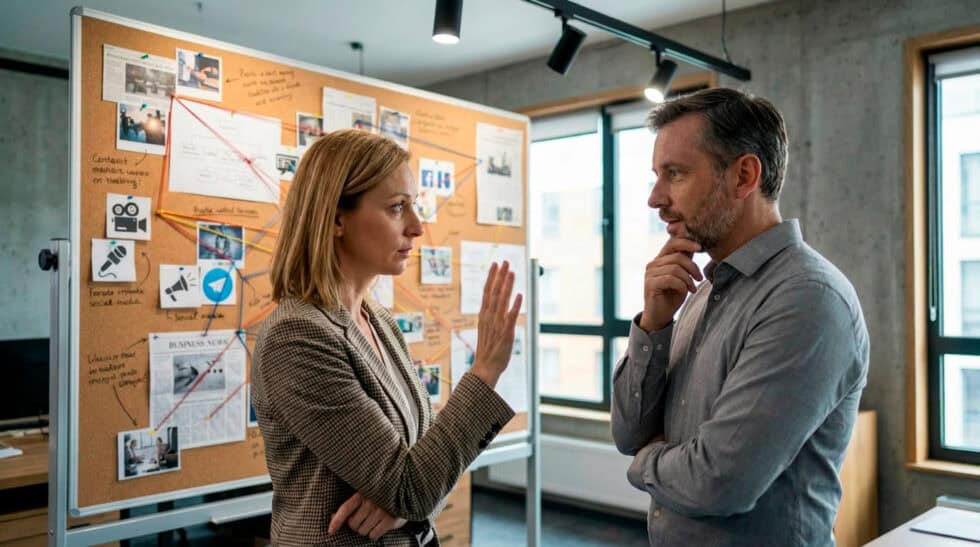
AI is amazing, but there comes a point when you have to know when to say when. If you're spending more time prompting than directing, it may be worth stepping back and thinking about the production process itself. Sometimes you need a logo to stay exactly where it belongs, a product to look exactly like itself, or a performance to feel genuinely funny, emotional, or human. If you're twenty prompts deep trying to fix something that could have been shot or animated more easily, the technology probably isn't saving you anything. Sometimes, you can find yourself playing a game of whack-a-mole with your prompts.
Sometimes a traditional shoot, animation, motion graphics, or a hybrid approach will get you there faster and give you more control. We're already starting to see a sea of sameness as more people gain access to the same technology. AI can help you speed up something, but people still notice when something feels intentional and when it doesn't.

The Best AI Video Generator Is the One That Fits the Idea
AI video has gotten remarkably good, and it’s only going to get better. But after all the models, prompts, and workflows, the same question we’ve always asked as producers still matters most: What are we trying to communicate?
That’s where creative brand storytelling comes back into the picture. Maybe you’re trying to generate leads, explain something complicated, spread the word about your business, or simply make someone stop scrolling for a few seconds. Whatever the goal, the technology should support the idea.
From a producer’s perspective, that’s really where AI fits. It’s another tool in the production toolkit, and a pretty exciting one at that. Occasionally it can get you somewhere faster or open up a creative direction that would have been difficult before. Other times, a camera, an animator, After Effects, or a good old-fashioned edit is still the better answer.
Because ultimately, your audience isn’t trying to connect with an algorithm. They’re trying to connect with you.
At Mighty Fine Production Company, we’re much more interested in finding the right way to tell the story than forcing every project into the latest technology or saving a buck for higher margins. If you want to put something in motion, we’re here to help you find the best way to do it.
Frequently Asked Questions About AI Video Generators
What is the best AI video generator for marketing and advertising?
It depends on the goal. Some tools are better for cinematic visuals, while others focus on avatars, animation, social clips, or image-to-video. Choose the platform that best fits your workflow, brand, and delivery needs.
How can an AI video generator help create video ads faster?
An AI video generator can speed up video advertising by turning prompts, scripts, images, and existing assets into short videos without a traditional production crew. Marketers can quickly create multiple versions for different audiences, test messaging, resize content for social platforms, and update campaigns while keeping production timelines shorter.
When should I stop using AI?
Stop using AI when it cannot meet your quality, accuracy, or brand-control requirements. For hero campaigns, exact product shots, or complex scenes, use traditional production or a hybrid workflow instead.
Can AI video tools create realistic product videos?
Yes. AI video tools can create convincing product visuals, demonstrations, lifestyle scenes, and cinematic shots. Strong reference images and human review still matter for accuracy, logos, text, and fine details.
Which AI video generator is best for social media content?
The best AI video generator for social media content is one that makes it easy to create short, engaging videos in vertical, square, and horizontal formats—choosing the correct aspect ratio. Look for features such as captions, templates, voiceovers, brand kits, quick editing, and exports optimized for platforms such as Instagram, TikTok, YouTube Shorts, and LinkedIn.
What should businesses consider before using AI-generated video?
Before using AI-generated video, businesses should consider video quality, licensing terms, commercial usage rights, brand safety, data privacy, and the ability to maintain a consistent visual identity. AI video generation works best as part of a creative workflow that includes human review to ensure the final content is accurate, on-brand, and appropriate for the intended audience.