Your Guide For Choosing The Right AI Video Model For Your Next Project
If you’re searching for the best AI video generator, you’re not alone—and you’re not wrong to feel overwhelmed. Every week brings a new model, a new “Gen,” or a new version that promises high quality videos, better camera movements, and fewer weird hands. Meanwhile, marketers still have the same job: make video content that looks great, post fast, and stay on-brand. That’s content creation with deadlines, not a science fair.
Here’s the good news: you don’t need to memorize every AI model name to pick the right fit. You just need to match your project to the right AI video generator workflow. Once you do that, a “video generator” stops feeling like a question mark (or chaos) and starts acting like a reliable part of your production process to work across multiple marketing campaigns.
Advertising economics are changing. As the costs of production fall, the opportunities for advertisers multiply,” said David Cohen, CEO, IAB. “The pool of potential advertisers is growing, as it is easier than ever to plan, buy, optimize, and creatively connect with consumers utilizing new technologies across all forms of media. The democratization of advertising and marketing is entering an exciting new phase, and the outlines of a new future are coming into view fast.” (Source: TV Tech)
This guide is designed to be quick and a useful reference. You’ll learn how to choose an AI video generator (or a video generator workflow) based on the type of video you’re trying to make, the priorities that matter most, and the kind of polish you expect in the final video. You’ll also get a marketing-focused shortlist of tools and a simple way to decide when AI is the right move—and when to say when.
A Quick Guide For AI Video Generation
What is an AI video generator?
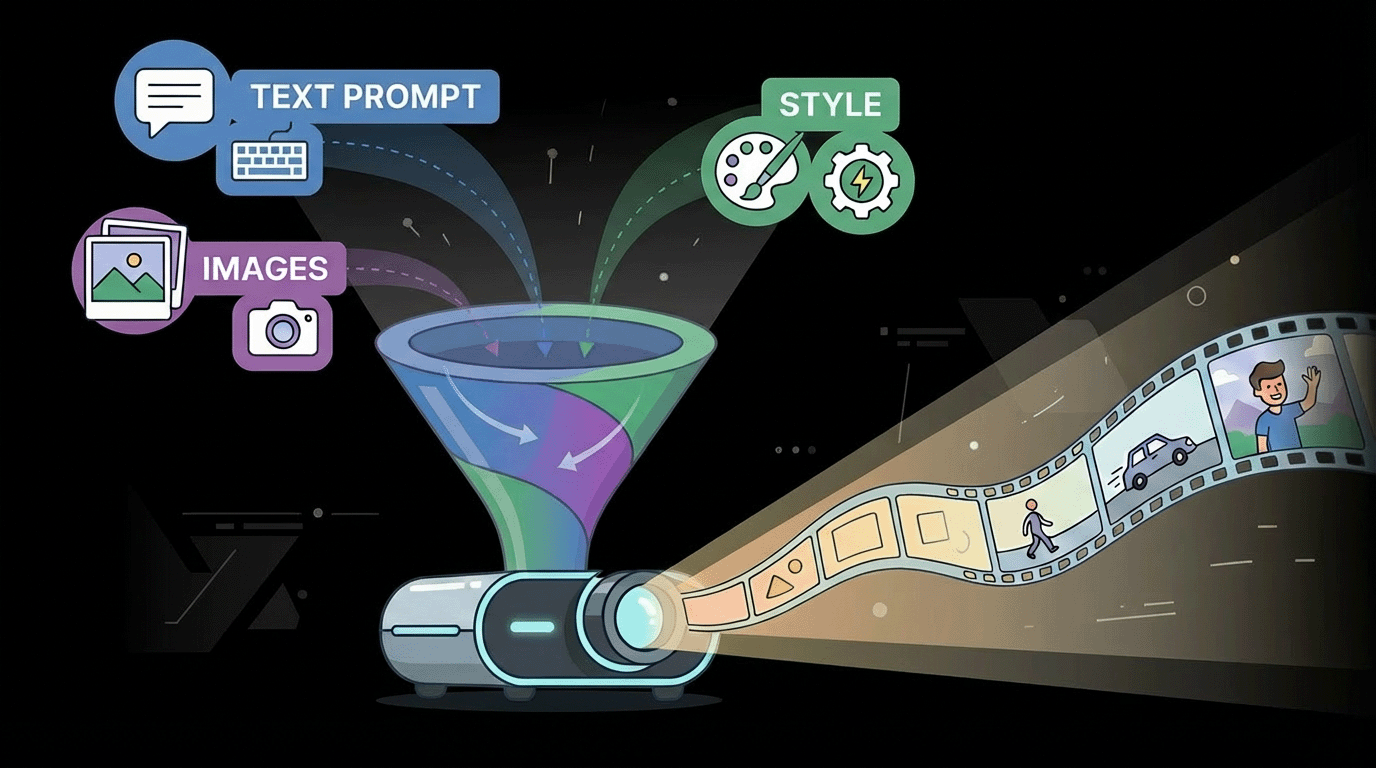
An AI video generator is a software tool that uses AI models to generate videos from a text prompt, an image, or existing videos. Some tools are built for text to video. Others are stronger at image to video, where you animate a reference frame. Many platforms now bundle editing tools so you can tweak timing, add captions, and export a video that fits your channel.
In plain terms: you describe what you want, and the tool turns that direction into footage. An AI video generator makes rough drafts fast—then you decide what deserves real polish. Sometimes it’s just a prompt. Occasionally it’s a few lines plus reference images. Either way, the goal is to create videos faster—with minimal effort and fewer technical skills required. If you’re a content creator or marketer, you’re here to create videos, not babysit a render queue.
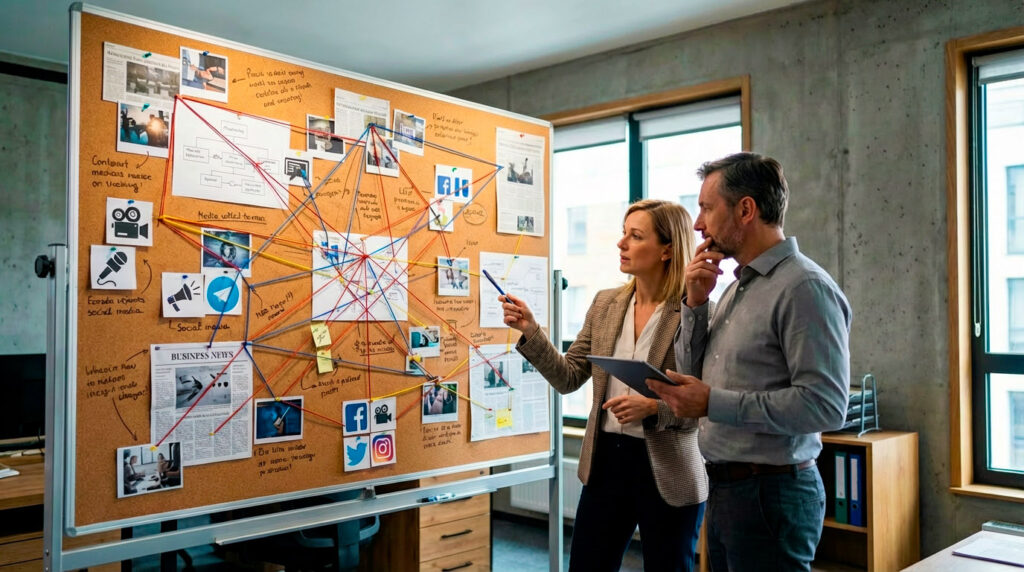
This series of images were all text-to-image creations with Gemini 3 (w/Nano Banana Pro).
Why Choosing the Right Video Generator Matters
The right AI video generator can save hours, improve consistency, and help you create AI videos that look like a real campaign instead of an experiment. It turns content creation into a repeatable process. The wrong video generator can turn one video idea into a day of frustration, broken continuity, and “close but not quite” visuals.
Here’s the truth from a producer's perspective: you’re not actually purchasing "AI." You’re buying a workflow. And for marketing, workflow beats novelty every time—especially when you’re trying to turn the same concept into ten variations of the same video across formats.
Think in terms of outputs. Are you trying to make one flagship brand video, or are you trying to generate videos in volume for testing? That decision changes everything. If you need volume, an AI video maker that can generate videos quickly matters more than the absolute “best” look. If you need one hero moment, you’ll spend more time on AI video idea generation, refining prompts, and selecting the best takes.
Also, don’t confuse AI video with “finished commercial.” AI video is often the rough cut. AI video is the draft department. The finished spot comes from choosing the right clip, adjusting continuity, adding typography, and mixing sound into a polished video. Never lose sight of the fact that it's a tool and not a magic wand to do your bidding. Every project needs the nuance of human ingenuity.
How This Guide Helps You
This AI video generator guide stays practical: match the tool to your video style, write better video prompts, and choose the right workflow (text to video, image to video, or a hybrid). You’ll also see where a free AI video generator makes sense and where paying for stability is worth it for professional video output.
Key Terms, Quickly, So We Can Talk Like Humans
Here are some terms related to AI video generation without going too deep into the weeds:
- UGC (User-generated content style): Ads designed to look like authentic creator content.
- Previsualization (previz): A rough video draft used to plan pacing, angles, and camera language before full production.
- Look development: Exploring a visual style until it feels right.
- Plate generation: Creating base footage to composite later.
- Video generation model: The underlying AI system that turns prompts into moving images.
- TTV (Text-to-Video): Generating video from a text prompt.
- Aspect ratio: The video shape (9:16 vertical, 1:1 square, 16:9 widescreen).
Step 1: Pick Your Video Type First—Not the Tool
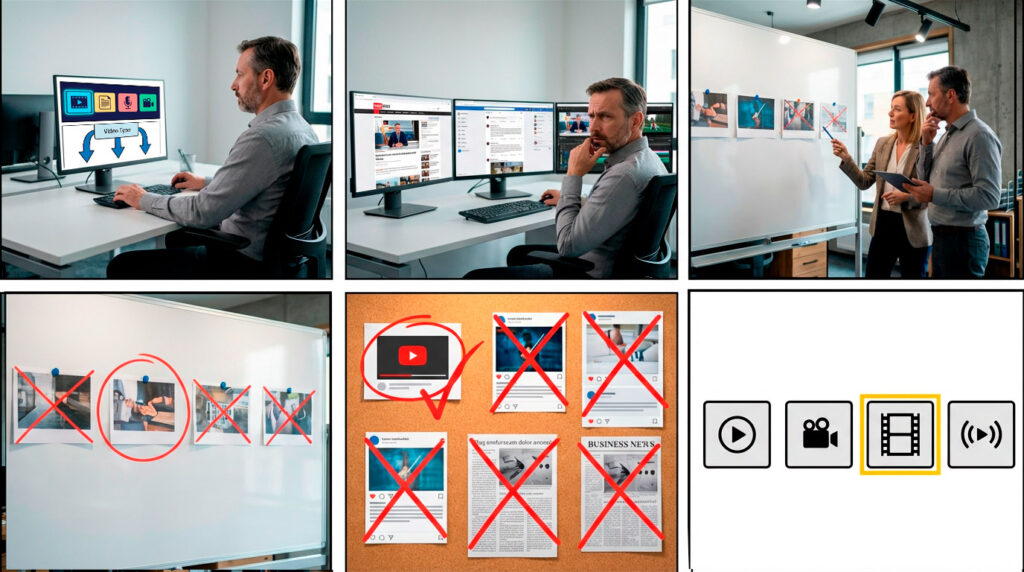
Different types of video communicate in different ways. Pick the type first, then choose the AI video generator that matches the desired aesthetic. It’s like choosing the ad format before you know the goal—your creative might look slick, but it won’t convert.
An impactful video campaign can amplify your brand's message. This increases the trust factor and makes someone more comfortable with what you have to offer. Here are some AI generator descriptions and recommendations for help styling your next marketing video.
Cinematic / Live-action style
If your goal is “looks like a real shoot,” you want a generator that can handle realism, continuity, and intentional camera movements without turning your scene into a shapeshifting fever dream. For marketing, that usually means you also want predictable results from repeatable video prompts (so you can iterate fast without losing the look).
Top Choice: Google Veo 3.1
Runner‑up: OpenAI Sora 2
2D animation / Stylized illustration-to-motion
Stylized work lives and dies by staying on-model. You want clean shapes, controlled motion, and a workflow where image to video can preserve a single image “style frame” while your video prompts guide movement—not reinvent the character every shot.
Top Choice: Pika 2.5
Runner‑up: Runway Gen‑4
Motion graphics / Brand graphics / Text-heavy content
If typography, layout, and animated design elements are the point, you’re basically doing what Adobe is known for with After Effects. AI should be your ingredient generator, not your art director. The best fit here is a tool that plays nice with pro editing tools so you can generate backgrounds, transitions, and plates, then edit videos into a polished video with tight brand control.
Top Choice: Adobe Firefly
Runner‑up: Canva AI Video Generator
3D animation/VFX-adjacent work
For previz, look development, concept animation, and plate generation, you want something that can produce usable “sketch passes” quickly while keeping spatial logic and repeatability decent. In marketing terms: rapid look tests, stylized product worlds, and commercial projects where you need multiple versions without rebuilding from scratch.
Top Choice: Runway Gen-4
Runner‑up: Google Veo 3.1
Step 2: Decide What Matters Most
Once your video type is clear, choose your top two priorities. Most “best tool” searches fail because they ignore this step.
If you need consistency across shots, prioritize tools that handle reference images well. If you need audio, prioritize platforms that support dialogue, ambience, and built-in voice features like lip sync (or plan a strong post pipeline). If you need speed, prioritize a workflow that can generate videos quickly and reliably.
If you need repeatable output across a team, prioritize an AI video maker that supports templates, exports, and a clean handoff—so you can create videos that look consistent even when multiple people touch the same video project.
This side-by-side is an example of how excellent the quality is when you use a still to create a video. The photograph was sourced from Adobe Stock and turned into motion with Kling.
Text to Video vs Image to Video
Text to video is best for exploration. You write a text prompt, set the aspect ratio, and generate videos until you find the direction. This is the fast lane for concepting, rough drafts, and story-style videos. With the right settings, you can get a usable draft in just a few clicks.
If you’re shopping specifically for an AI text to video workflow, look for a text to video generator that lets you control camera, motion, and pacing without burying you in menus. A good AI text to video tool makes it easy to test a concept with just a prompt and a few lines of direction, then scale that into repeatable drafts. ImagineArt has 47 AI generation models and tools that are intuitive and easy to understand. Full disclosure: we are not affiliated with ImagineArt.
Image to video is best for control. You animate a reference frame (or a small set of reference images) to keep a consistent look and reduce drift. You can look at countless photographs on Adobe Stock or Shutterstock to play around with.
This is important: The quality you put in is the quality you'll get. A 100KB image you pulled off a web page is not going to look good - hard stop. For product work, image to video often creates more reliable video output. The results are pretty spectacular: You'll see below how we turned a single image into a video snippet that was used for B-roll—it's pretty hard to notice it's AI.
In practice, teams use both: they draft with text to video, then lock with image to video. And yes, some platforms can generate video directly from a prompt plus an image—no extra steps.

How to Write AI Video Prompts That Actually Work
Most frustration comes from vague prompts. Strong video prompts read like shot direction.
Before you choose any AI video generator, decide what “good” looks like for your brand. Are you chasing cinematic realism, or are you producing marketing clips where clarity wins? For most teams, the goal is consistent video content that can be repeated weekly, not a one-off demo. That’s where an AI video maker shines: it helps you generate videos on schedule, then tighten them into high-quality videos with a predictable post-production process.
Here’s a practical way to think about it: an AI video generator is your draft department. AI video is where you explore. AI video is where you test angles, pacing, and hooks. AI video is also where you create AI generated videos that you can hand to an editor. In that cycle, video generation is not a single button—it’s a loop: video generation, selection, and refinement.
Start with a simple prompt, then add control: subject, action, environment, camera, and style. Keep it readable. The goal is high-quality videos, not dramatic prose. When you’re testing, don’t generate one clip at a time—generate videos in batches, then pick the strongest direction and generate videos again with small changes. This is where AI gets fun instead of frustrating.
Video Prompting Hack:
Go all in with AI! We have dedicated a project in ChatGPT for video prompts. This method is awesome because you don't have to overthink the process like writing a poem. Simply describe what you are going after, and AI will fill in the details. Think checklist as mentioned and let AI fill in the details for your generated video. It's great at describing a scene in detail with your prompts. Generally, you can change the tone with one- or two-sentence feedback if you don't like the first-round description given by AI.
Take a look at this AI assisted video prompt and the resulting video:
" A dark, modern podcast studio with moody lighting and soft spotlights highlighting the faces of a smartly dressed woman and man sitting face to face. They are conducting a podcast interview, with professional microphones, headphones, and studio equipment visible on the table between them. The background remains dim and atmospheric, adding to the focused, high-quality production environment. The camera moves slightly, capturing the interaction between the two interviewers. The visual style is clean and professional, emphasizing the dialogue and the intimate setting of the podcast recording."
We just needed to prompt ChatGPT with a simple couple of lines, and it filled in the rest that we then placed in a video generator.
10 Strong Picks: Top AI Video Generators for Creating Marketing Content
Marketing video has two jobs: create videos that look good, create videos that convert, and package them so they can be streamed. If you’re evaluating an AI video generator for marketing, start by deciding whether you need one hero video or a weekly system of repeatable videos. If you’re building a repeatable system, an AI video maker that your team can quickly learn to use is more valuable than a flashy demo—because your job is to produce videos, not just generate them.
Core IA Generative Engines
- OpenAI Sora 2
- Best for: cinematic hero shots + concept trailers.
- Pick it when: you want “real shoot” vibes and strong cinematic intent.
- Google Veo 3.1
- Best for: controlled marketing clips + product storytelling.
- Pick it when: your video prompts need guardrails (refs/frames) and fewer surprises.
- Runway Gen-4
- Best for: campaign consistency (same product/character across shots).
- Pick it when: continuity is the whole job.
- Kling 2.6
- Best for: quick drafts with audio (dialogue/SFX/ambience).
- Pick it when: you want an “almost finished” draft fast.
- Luma Dream Machine (Ray3)
- Best for: cinematic b-roll concepts and mood footage.
- Pick it when: you’ll add VO/music in post and just need killer visuals.
- Pika 2.5
- Best for: punchy social media content and stylized motion.
- Pick it when: speed + experimentation beats perfection.
- Adobe Firefly (Generate Video)
- Best for: brand-friendly b-roll and motion design ingredients.
- Pick it when: you’ll composite/finish in post and want a pro workflow.
Marketing Assembly Tools
- Canva
- Best for: shipping ads fast (templates, resizing, captions).
- Pick it when: you need lots of versions with minimal effort.
- Synthesia
- Best for: explainer videos and localization.
- Pick it when: clarity + multiple languages matter more than cinematic visuals.
- HeyGen
- Best for: avatar/presenter-led marketing clips.
- Pick it when: you want talking-head style output without a shoot.
Quick Spec Notes
- Duration: Most tools output short clips—expect to stitch into a longer final video.
- Audio: Some generate sound effects / voice / lip sync; others assume post audio.
- Inputs: Text to video = fast ideation. Image to video = better control/consistency.
- Quality: High quality results depend on strong video prompts, not just the model.
- Control: The best AI video generator is repeatable—if you can’t recreate it, it’s a slot machine.
A Quick Note on Reviewing AI Generated Videos
Before you publish, do a simple review pass that treats AI generated videos like any other asset. Confirm product details, remove accidental brand violations, and check for anything that could be flagged as inappropriate content. For example, AI video hallucinations can result in floating heads and strange jazz hands. Even when the visuals are stunning, AI generated footage can sneak in errors—so assume every draft is AI generated until you’ve verified it.
This is where an AI video maker with good editing features and export controls pays off: it helps you manage AI generated videos responsibly, especially for client-facing work. In short: AI generated doesn’t mean “hands off.” It means “review like a pro.”
Free AI Video Generator vs Paid Tools
A free AI video generator is great for testing, but “free” usually means limits: shorter clips, watermarks, fewer exports, slower queues, or reduced resolution. With many tools, your first AI win is simply learning what the platform can (and can’t) do before you bet your whole video on it. Free AI video can still be useful for ideation, previz, and internal drafts—especially when you want to try multiple tools quickly.
Paid plans typically buy you stability: higher output quality, more control, and features that make it easier to refine cuts or integrate with your workflow. If your goal is commercial use, paid tools also tend to be clearer about terms and usage.
Why Choose an Earlier Version—Besides Budget Concerns?
New doesn’t always mean better for your job. Earlier versions can win when you need predictable behavior and fast iteration. Sometimes the “older” look is the right look. And sometimes changing a video generation model mid-campaign breaks continuity. Like any good production, continuity is key!
If you’re producing a series—ads, cutdowns, variations—stability matters more than novelty. With so many options on the market, choosing consistency can be the most “advanced” decision you make.
Additionally, an older model may not cost as many credits when using a website that aggregates many models you can choose from.
When to Say When: So AI Doesn’t Eat Your Production
AI is awesome. But if you’re prompting more than directing, it’s time to pause and start thinking about the production process and what it means for your content.
Use a human or hybrid approach when brand accuracy is crucial (logos, claims, regulated content), when rights require stricter control, when performance is crucial (humor, emotion, trust), or when the project demands shot-to-shot continuity that a tool cannot provide or takes way too many prompts.
Audiences still crave human creativity, and I think we have all encountered some form of AI fatigue. AI can speed up exploration, but creativity is still the most important aspect of any project. The goal is to engage people, regardless of whether you create something from scratch or use AI. There's a sea of sameness on the web; the people who stand out will always win—which translates into more viewers and revenue.

This video was made with a ton of keyframe animation with Adobe After Effects. I'm not sure AI can replicate this just yet. Not all artists are going to put down their paintbrushes to pursue perfection.
A Mighty Fine Quick Decision in 60 Seconds
If you need cinematic visuals, start with Sora, Google VEO, or Runway. If you need stylized animation, start with Pika and an image to video workflow. If you need motion graphics, generate elements using FireFly from Adobe, then lock the overall production in post. If you need a finished deliverable fast, generate the footage, then package it in Canva or a presenter platform.
That’s the guide: pick the workflow that gets you to a finish line faster—with fewer rerolls and cleaner brand control. The right AI video generator should feel less like a slot machine and more like a dependable video generator in your toolkit. If you’re still unsure, the best AI video generator is the one you can repeat without surprises. And yes—no one should need advanced design skills to get there.
Creative brand storytelling should be at the core of any campaign. Figure out what you want your content to accomplish first. Is it to get new leads, increase sales, spread the word about your business, or just get people interested in what you have to offer? Whether you're making an instructional, amusing, useful, or any other kind of film, you need a plan. This is especially true for video content. Determine the target audience (including as much demographic information as feasible) and the goals you hope to achieve with this material.
Mighty Fine production company can assist you with putting your message in motion and finding the right process to tell your story. Whether you're in Tampa or California, we are here to help with your video production needs.